Compiler for C++
Compiler:
A compiler is a computer software that transforms computer code written in one language (the source language) into another programming language (the target language).
There are different compilers for C++ language. Some of them are as bellow:
- GNU Compiler Collection
- Intel C++ Compiler
- Clang
- MinGW
- Intel Fortran Compiler etc.
We are going to use MinGW. So, I will tell you how to download and install MinGW.
How to download and install MinGW?
Click DOWNLOAD bellow to download MinGW.
- Scroll down and click this button.

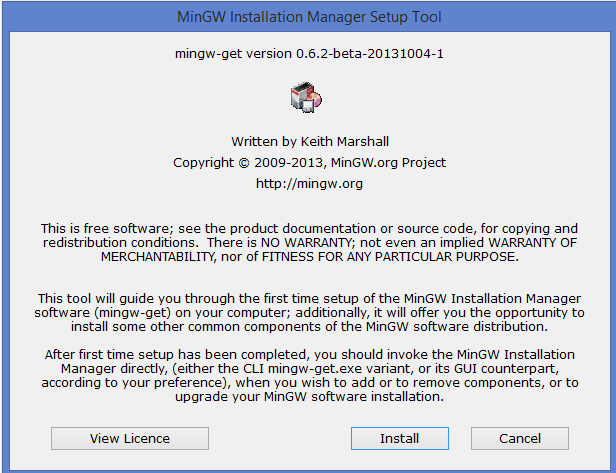
2. The following exe file will be downloaded with the name mingw-get-setup.exe

3. Click install

4. Click continue

5. Click continue


6. The following pop-up window will appear. Pleas make sure that you selected all the check-boxes. e.g. mingw32-base, mingw32-gcc=g++, msys-base and so on.

7. Click on Installation > Apply Changes as shown in the picture below.

8. wait for the process to complete. once you see successful installation message close the window. Click Close.
9. Now we will set environment variable to use gcc and g++ command from terminal.
Windows 10 and Windows 8
- In Search, search for and then select: System (Control Panel)
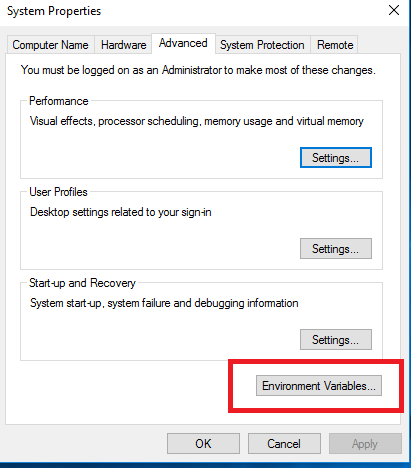
- Click the Advanced system settings link.

- Click Environment Variables. In the section System Variables, find the
PATHenvironment variable and select it. Click Edit. If thePATHenvironment variable does not exist, clickNew.


- In the Edit System Variable (or New System Variable) window, specify the value of the
PATHenvironment variable. - Copy C:\MinGW\bin .
- Click OK.
- Close all remaining windows by clicking OK.

- Reopen Command prompt window, and type
gcc. if you see the following output as shown in the picture below the mingw is installed successfully.


Comments
Post a Comment